Your finances,
in your pocket.
Track subscriptions, manage invoices, and gain complete financial clarity — all from your iPhone.

Invoices scanned
—
Invoice volume
—
Platform
iOS & Web
Built for iPhone
Everything at your
fingertips.
01 / 06
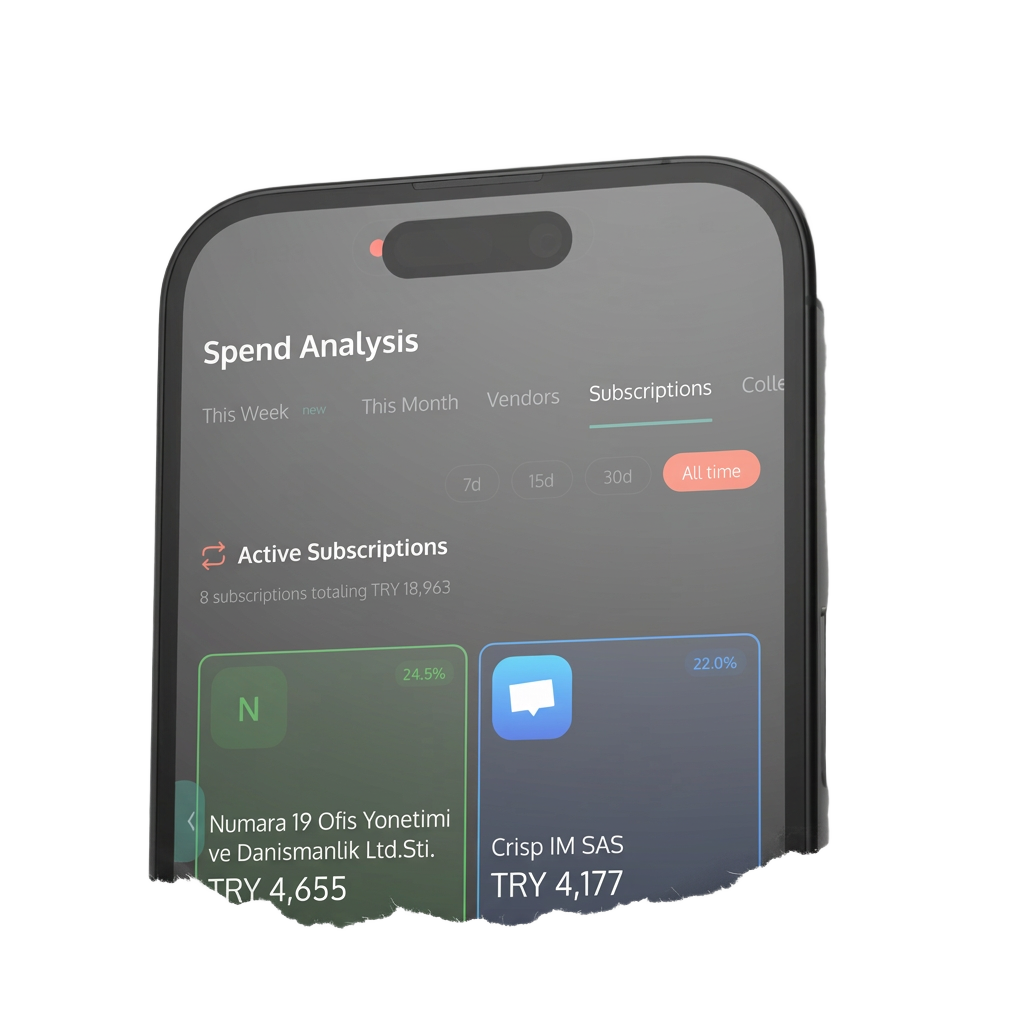
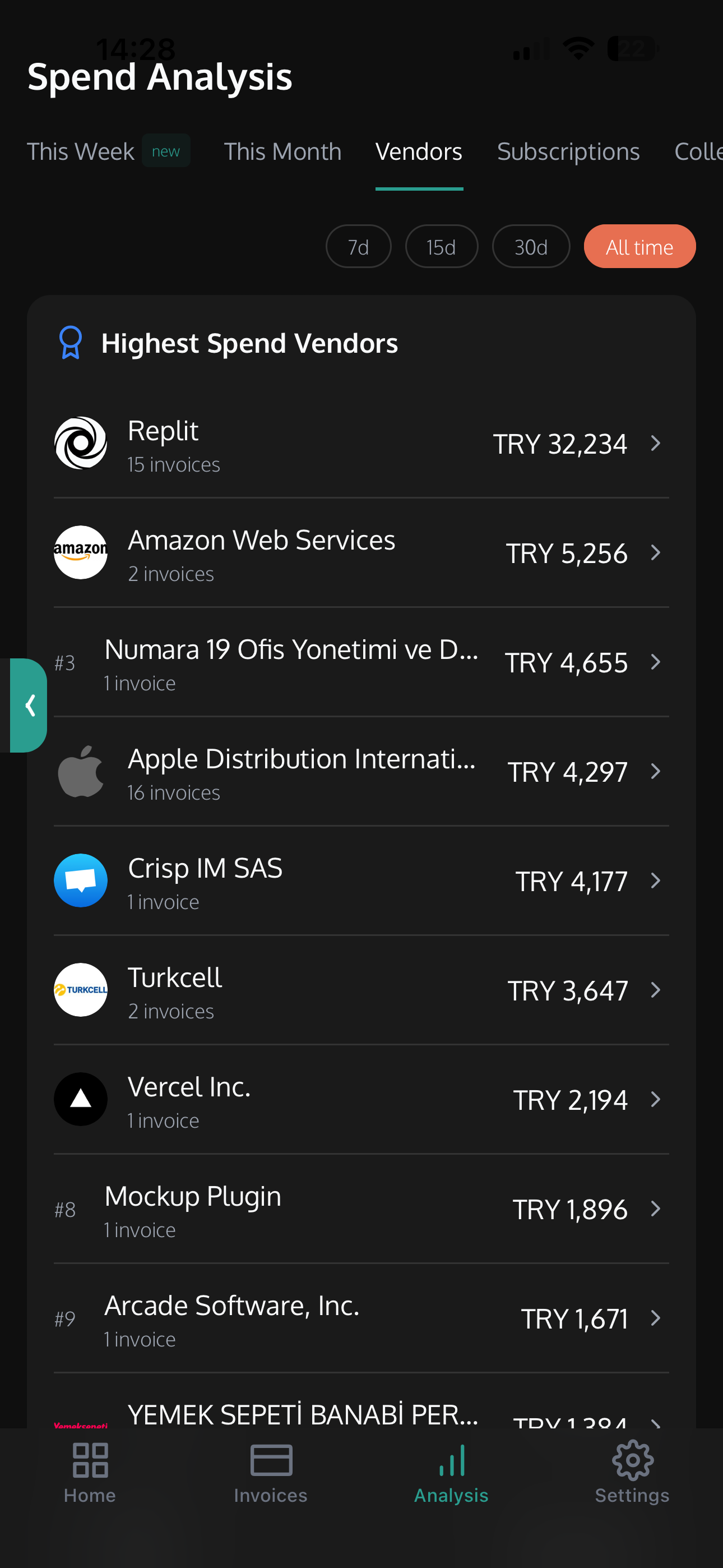
Spend Analysis
Visual breakdowns of your vendor spending. See where every dollar goes with ranked vendor lists and spending summaries.
02 / 06
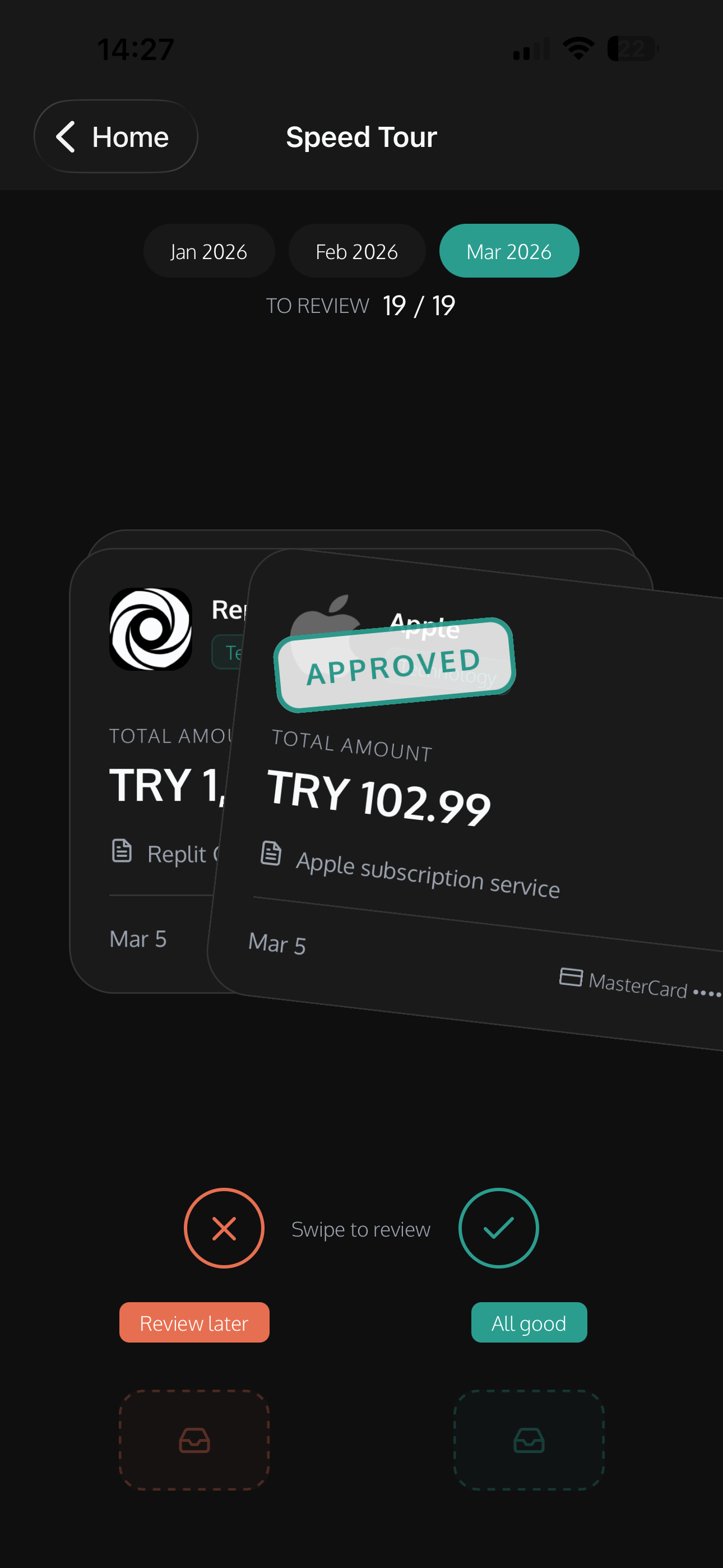
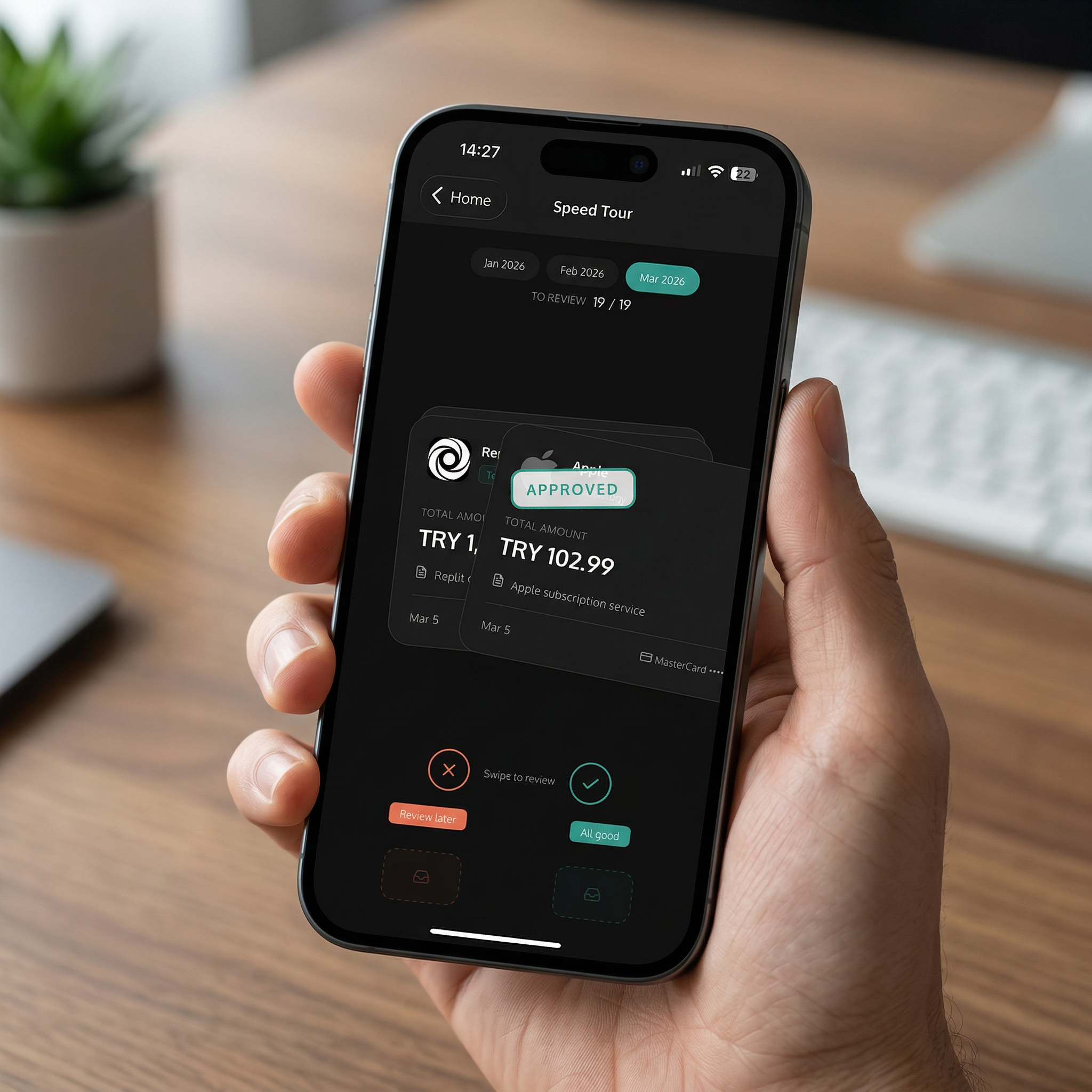
Speed Tour
Swipe through invoices to approve or flag them. Review your entire month in under a minute.
03 / 06
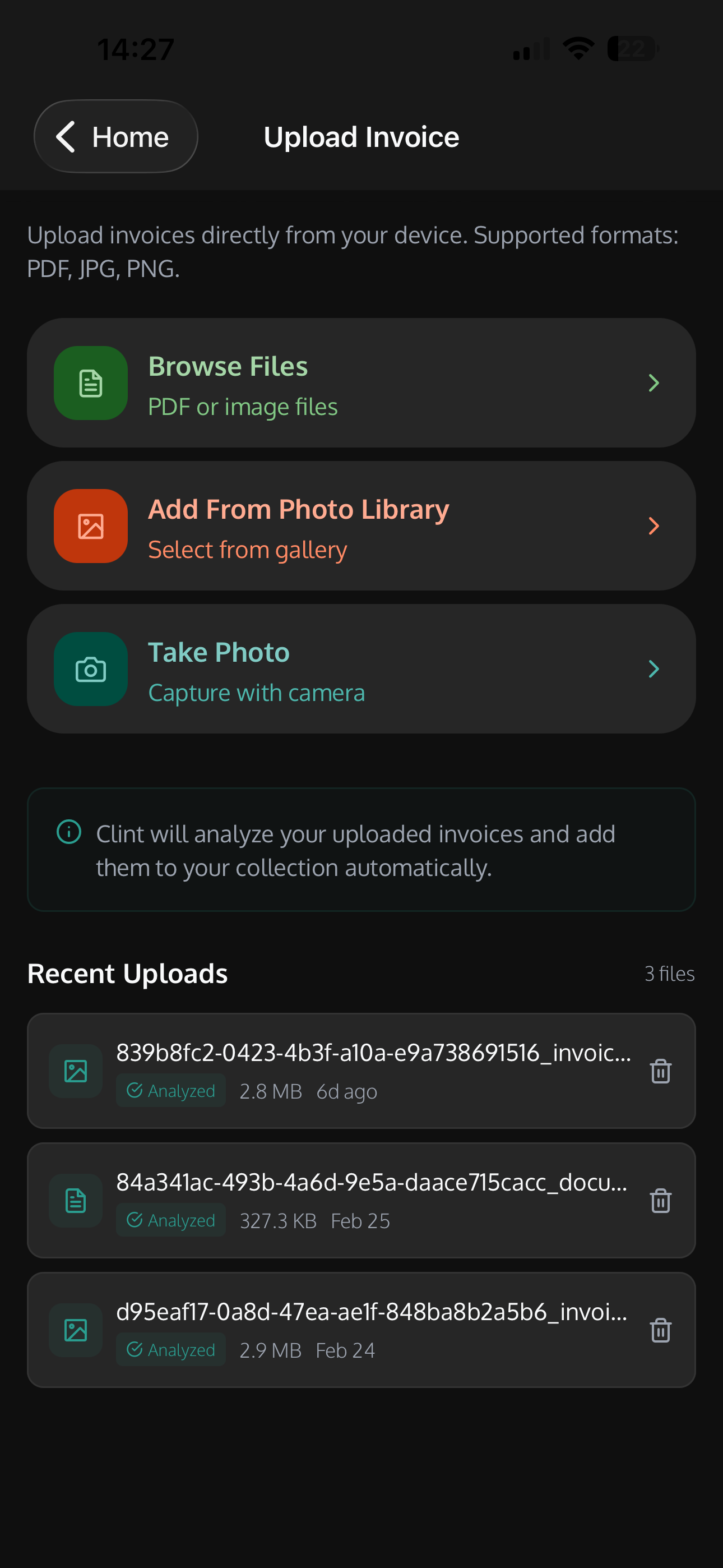
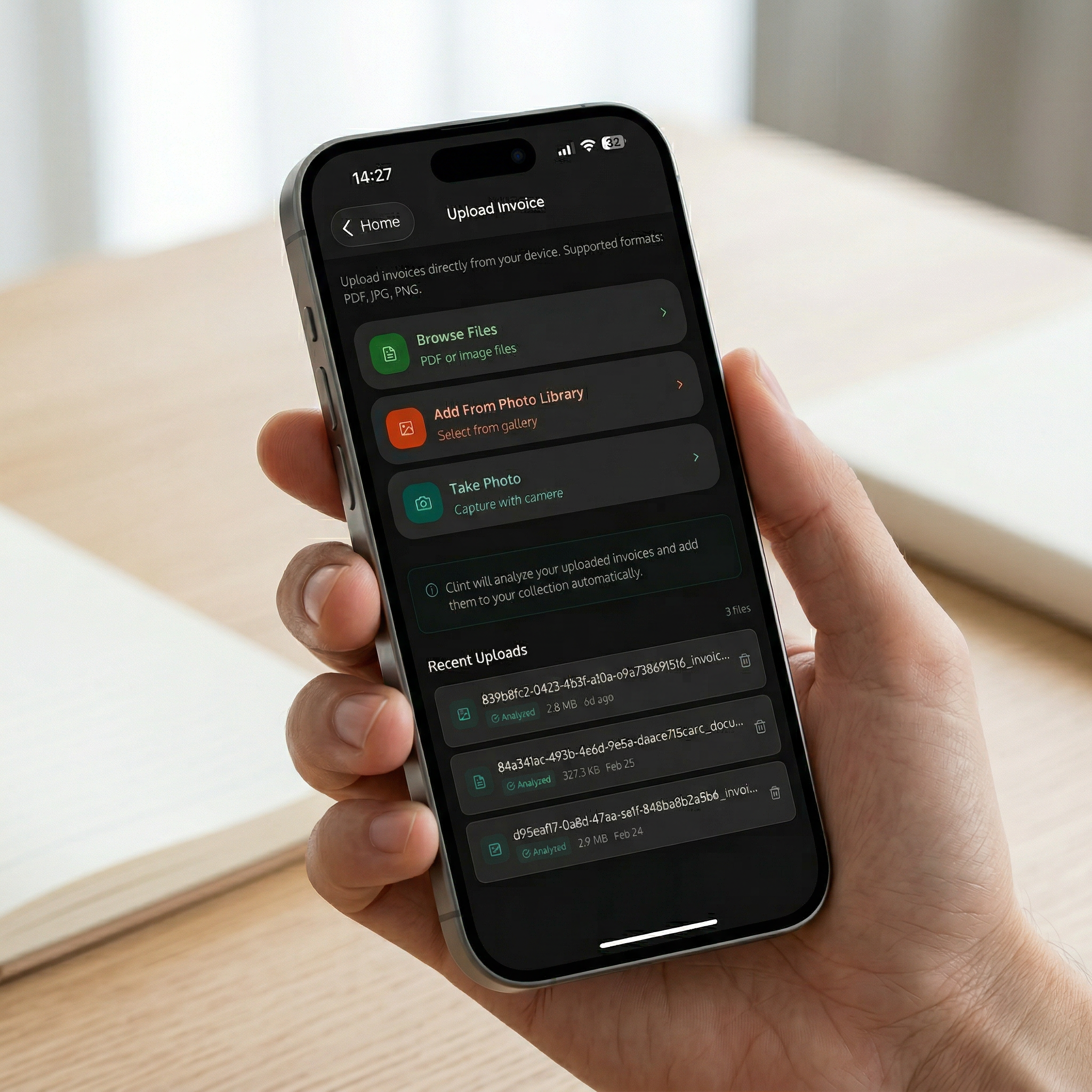
Upload Invoices
Snap a photo, browse files, or pick from your gallery. Clint analyzes and files them automatically.
04 / 06
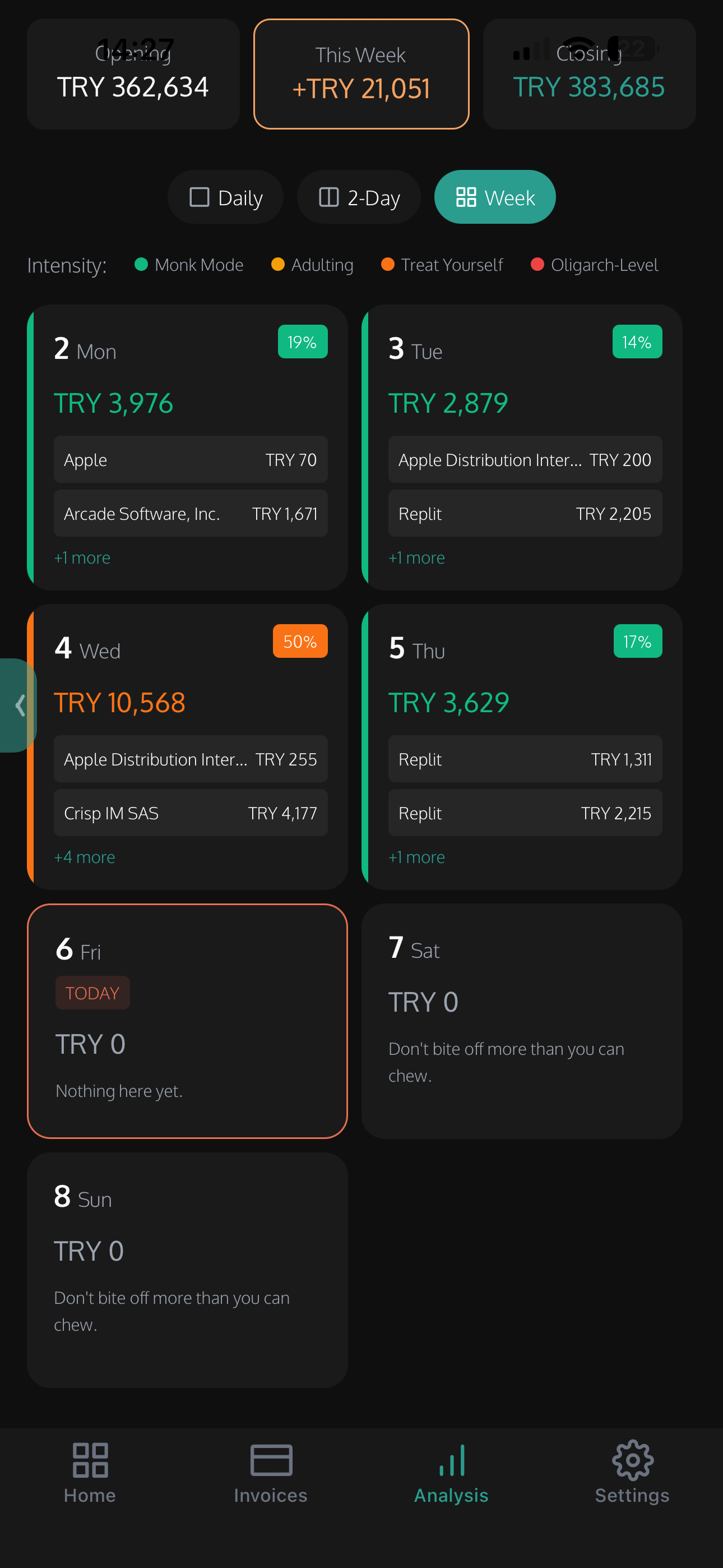
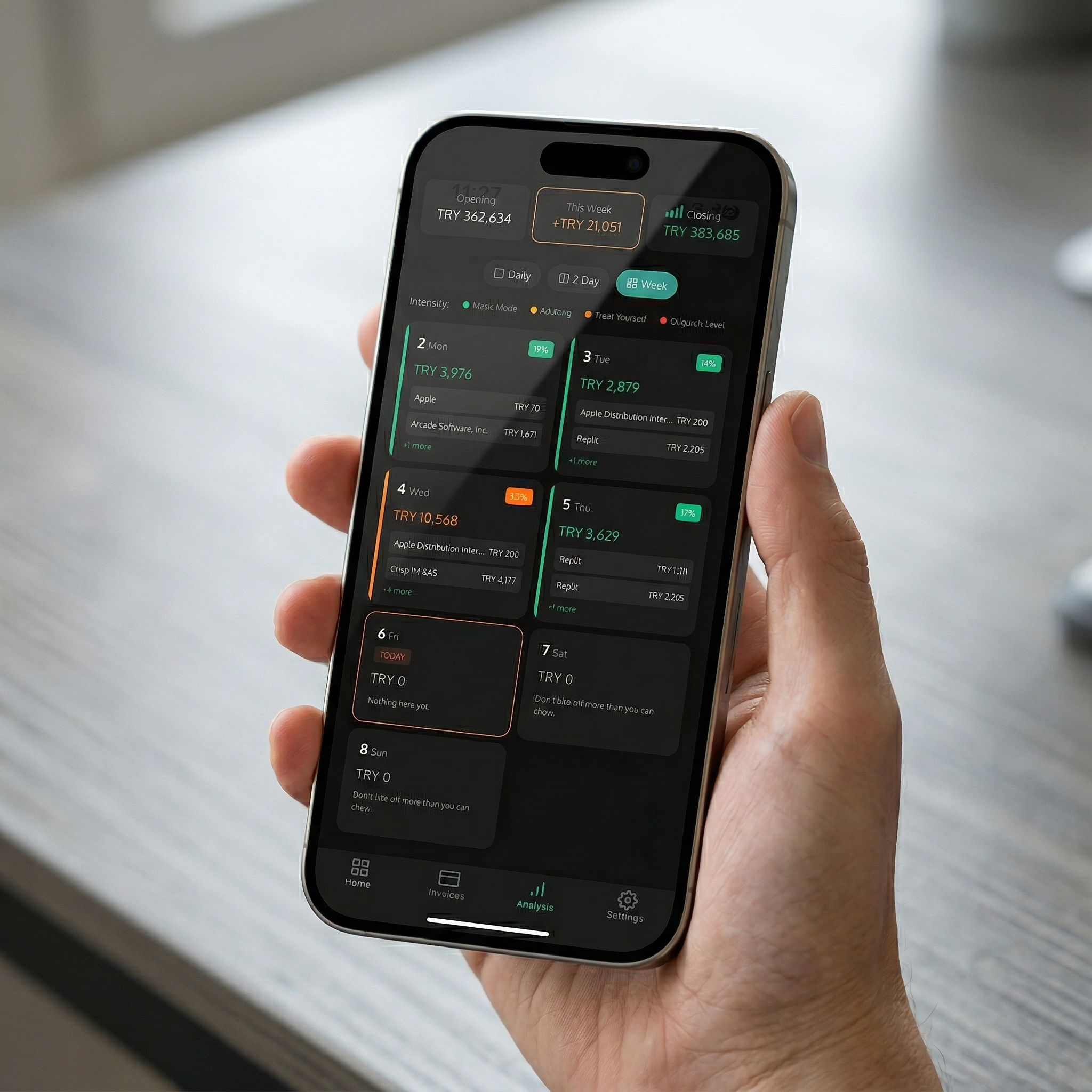
Weekly Calendar
See your spending intensity day by day. Know exactly what left your account and when.
05 / 06
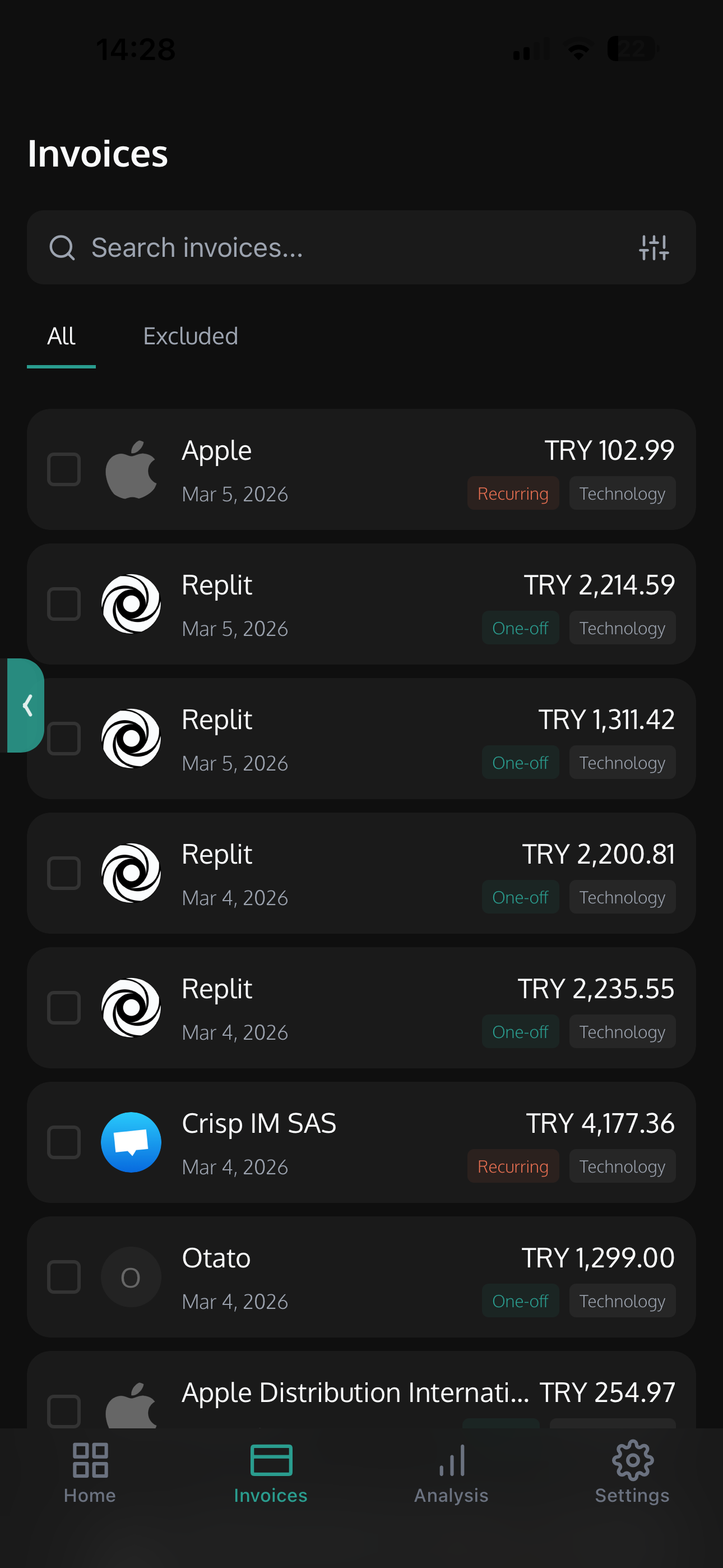
Invoice Management
Search, filter, and browse every invoice. Tagged by vendor, category, and payment method.
06 / 06
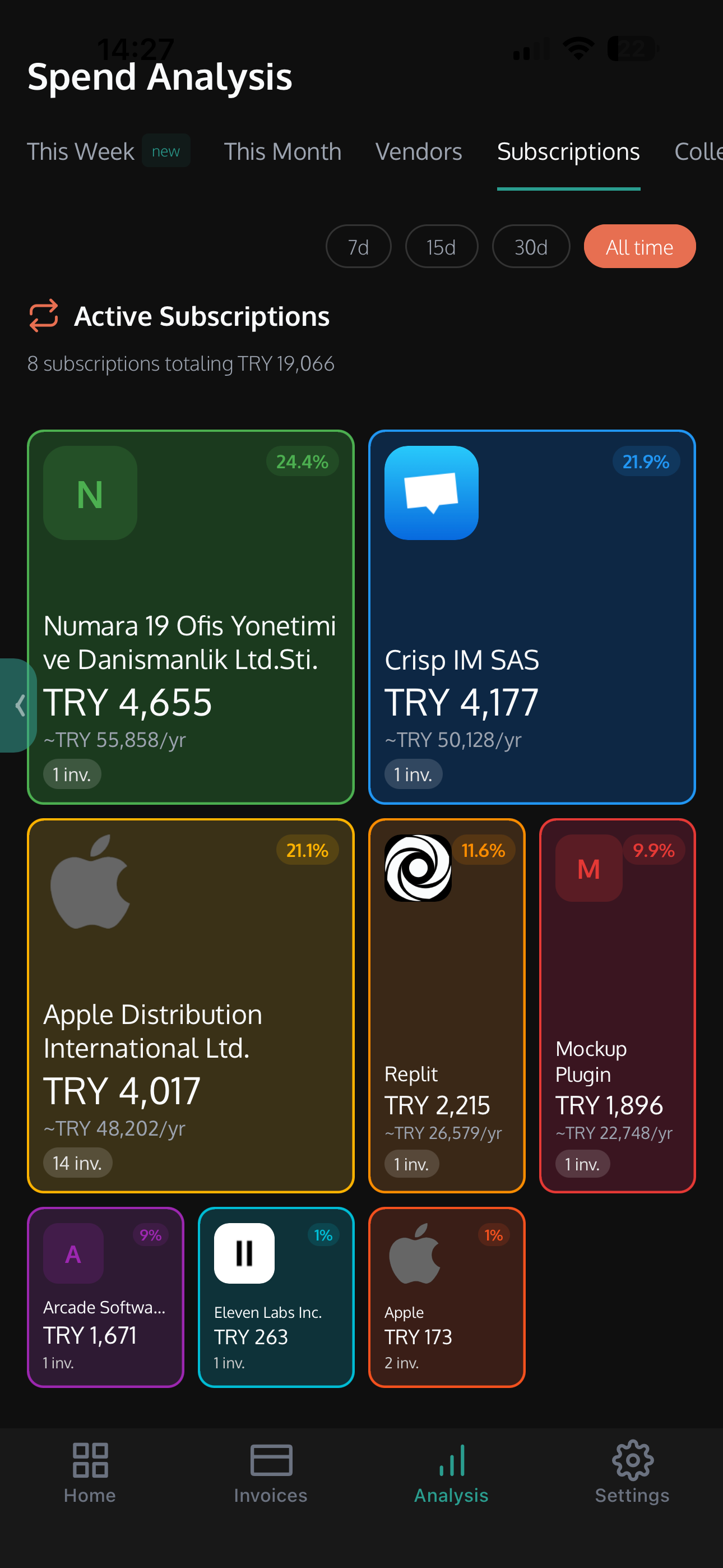
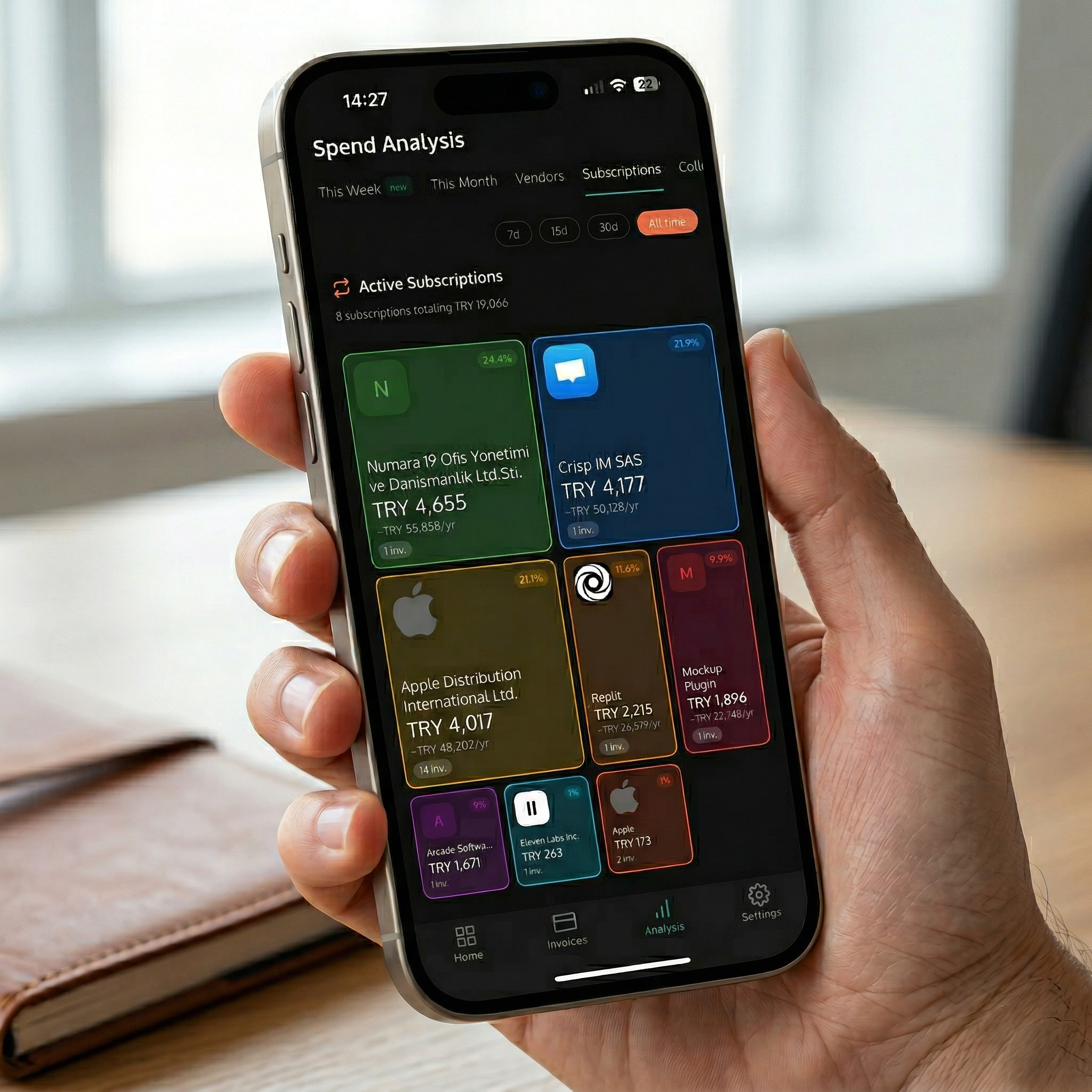
Subscription Tracking
Automatically detect recurring charges. Track renewals, get alerts on price changes, and never miss an upcoming payment.
Spend Analysis
Visual breakdowns of your vendor spending. See where every dollar goes with ranked vendor lists and spending summaries.
Speed Tour
Swipe through invoices to approve or flag them. Review your entire month in under a minute.
Upload Invoices
Snap a photo, browse files, or pick from your gallery. Clint analyzes and files them automatically.
Weekly Calendar
See your spending intensity day by day. Know exactly what left your account and when.
Invoice Management
Search, filter, and browse every invoice. Tagged by vendor, category, and payment method.
Subscription Tracking
Automatically detect recurring charges. Track renewals, get alerts on price changes, and never miss an upcoming payment.
Designed for real life
Beautiful on every screen.
Privacy First
CASA-audited. Read-only email access. Your data stays yours.
Lightning Fast
Native iOS performance. Smooth animations and instant responses.
Offline Ready
Access your latest data even without an internet connection.
Smart Categories
AI-powered spending categories that actually make sense.
FAQ
Got questions?
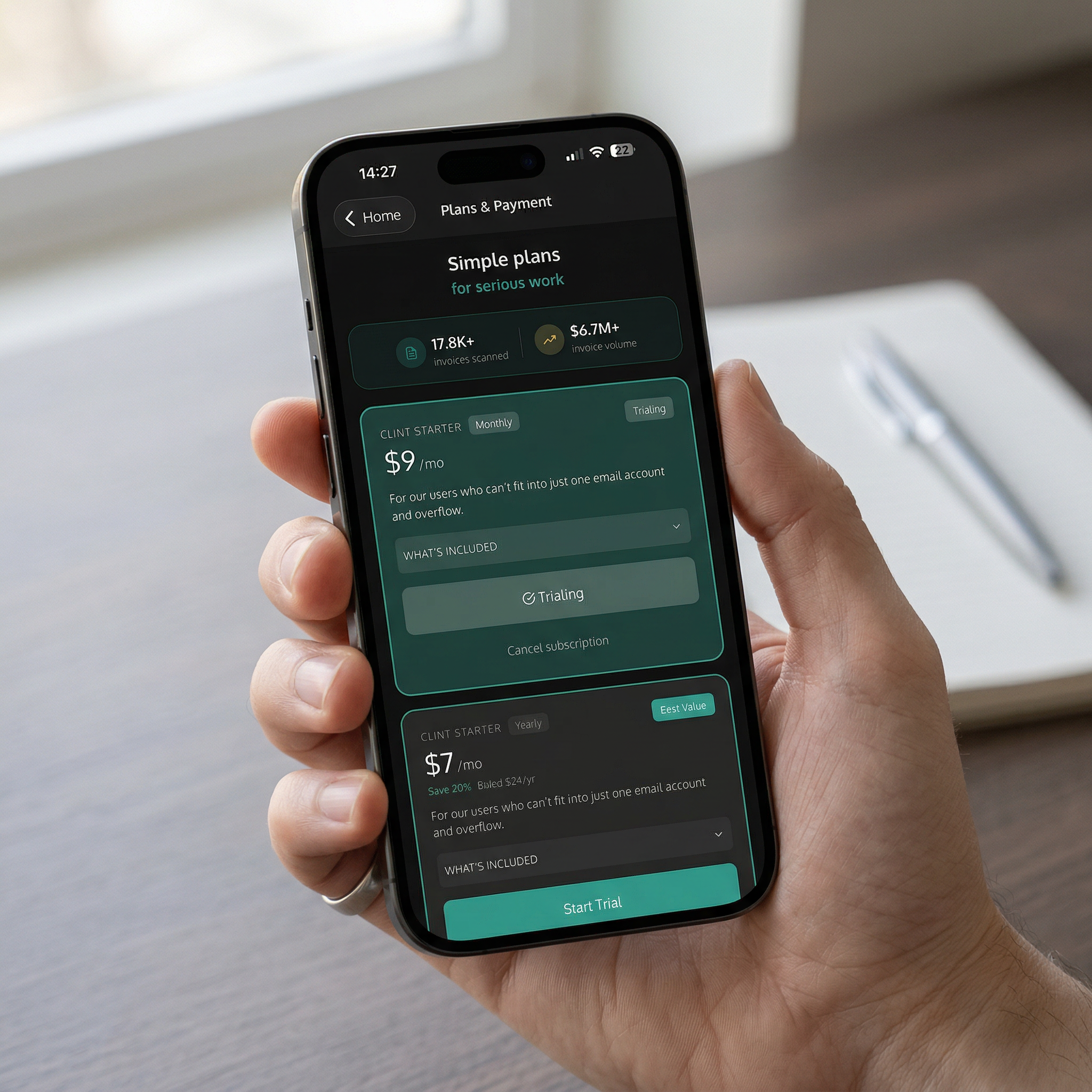
Yes, the Clint Starter Free plan works on iOS just like on the web. You get 1 email account, 3 months of history, subscription tracking, AI categories, and all Canvas views at no cost. Clint Starter ($9/mo or $7/mo yearly) unlocks additional features.
Absolutely. You can browse files, pick from your photo library, or snap a photo of a paper invoice with your camera. Clint will analyze it automatically and add it to your collection.
Yes, your data is fully synced between the web app and the iOS app. Any invoices, comments, or settings changes you make on one platform are instantly reflected on the other.
Clint is CASA-audited and fully compliant with Google's API policies. We use read-only access to your email and never store your credentials. All data is encrypted in transit and at rest.
The Clint iOS app supports iPhone models running iOS 16 and above. It's optimized for the latest iPhone displays but works great on older supported models too.
Ready to take control?
Download Clint for iPhone and start tracking your subscriptions, scanning invoices, and understanding your spending — in under a minute.